Showing posts with label MOSS 2007 customization. Show all posts

May 9, 2012

Publishing Feature

To enable the SharePoint Server Publishing Infrastructure feature for a site collection
a. On the Site Actions menu, point to Site Settings, and then click Modify All Site Settings.
b. If you are not at the root of your site, under Site Collection Administration, click Go to top level site settings.
c. On the Site Settings page, under Site Collection Administration, click Site collection features.
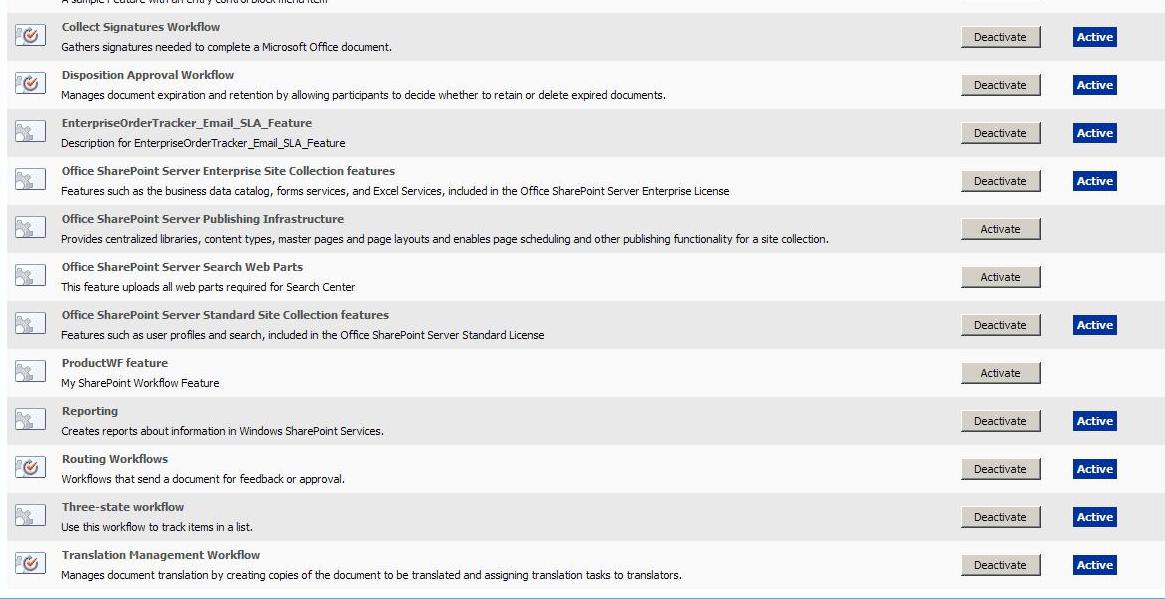
d. On the Site Collection Features page, next to Office SharePoint Server Publishing Infrastructure, click Activate.


To enable the SharePoint Server Publishing feature for a site
a)    On the Site Actions menu, point to Site Settings, and then click Modify All Site Settings.
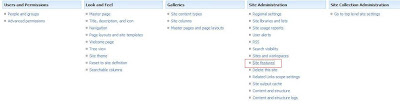
b)    On the Site Settings page, in the Site Administration section, click Site features.
c)    Next to Office SharePoint Server Publishing, click Activate.


April 25, 2012

Change Text or Image of the MySite Link in Moss 2007

Sometimes the user wants to change the MySite Link text to something else like "My World". In that case, you can do that by making changes to the MySiteLink.ascx file. This MySiteLink.ascx file is located at
C:\Program Files\Common Files\Microsoft Shared\web server extensions\12\TEMPLATE\CONTROLTEMPLATES
Now, open that MySiteLink.ascx file in sharepoint designer and change the following line
Add visible="false"
The above line will become .

Now, finally to change the Mysite text add the following line with the text that you want to display. Here, i want to display "Hello".

To display image in place of MySite Text you can use the following line

November 21, 2011

The application attempted to perform an operation not allowed by the security policy. To grant this application the required permission please contac

Sometimes, while executing an application in sharepoint environment, we get the following error.

The application attempted to perform an operation not allowed by the security policy. To grant this application the required permission please contact your system administrator or change the application's trust level in the configuration file. in sharepoint


This problem is basically related with the Trust Level. Just make the following changes in under element of the web.config file of the corresponding web application.


Change from,
< system.web >
< trust level="WSS_Minimal" originUrl="" / >

to in web.config

< system.web >

< trust level="Full" originUrl="" / >

Change Text or Image of the MySite Link in Moss 2007

Sometimes the user wants to change the MySite Link text to something else like "My World". In that case, you can do that by making changes to the MySiteLink.ascx file. This MySiteLink.ascx file is located at


C:\Program Files\Common Files\Microsoft Shared\web server extensions\12\TEMPLATE\CONTROLTEMPLATES
Now, open that MySiteLink.ascx file in sharepoint designer and change the following line

< asp:HyperLink id="hlMySite" runat="server" / >

Add visible="false"

The above line will become < asp:HyperLink id="hlMySite" runat="server" visible="false" / >.

Now, finally to change the Mysite text add the following line with the text that you want to display. Here, i want to display "My World"

< asp:HyperLink ID="NewMySiteHyperlink" runat="server" Text="My World" Visible="true" NavigateUrl="http://your mysite Url/_layouts/MySite.aspx"/ >

To display image in place of MySite Text you can use the following line

< asp:HyperLink ID="NewMySiteHyperlink" runat="server" ImageUrl="/_LAYOUTS/ Link to your image file" Text="My World" Visible="true" NavigateUrl="http:// Your MySite Url/_layouts/MySite.aspx"/ >

August 21, 2011

Dear Readers,
I have created this blog http://maksharepoint.blogspot.com/ to share my sharepoint development experience with you. Presently, i am working as a software engineer (Sharepoint) and my job role includes complete customization of the OOB features of the sharepoint.

Error installing .Net Framework 3.5 in Sql Server 2012

During installation of Sql Server 2012 on Windows server 2012 or addition of roles and features for SharePoint 2013, the setup wizard will...